What are we watching tonight?

You each swipe on what’s on your streaming services. When you both like the same thing, that’s the one.

Free, and invite-only while we grow. Already have an invite? Sign in

A night in, from the first “what shall we watch?”

  1. “What do you fancy?” “Don’t mind, you pick.”

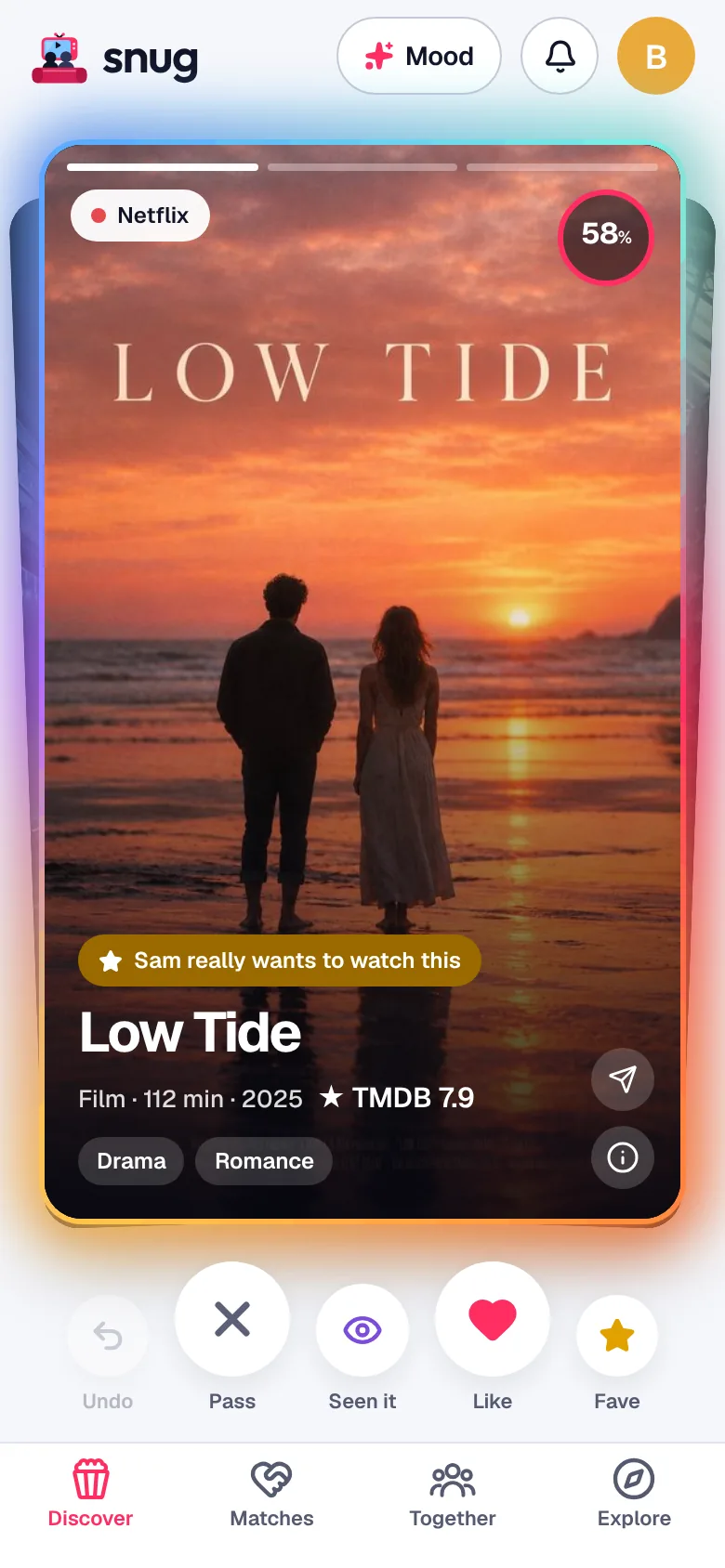
    Open Snug instead. It deals films and series from the services you already pay for, in your country, so everything in the deck is ready to play.

    The Snug deck: a film on one of your services
  2. You both swipe. Sam likes it too.

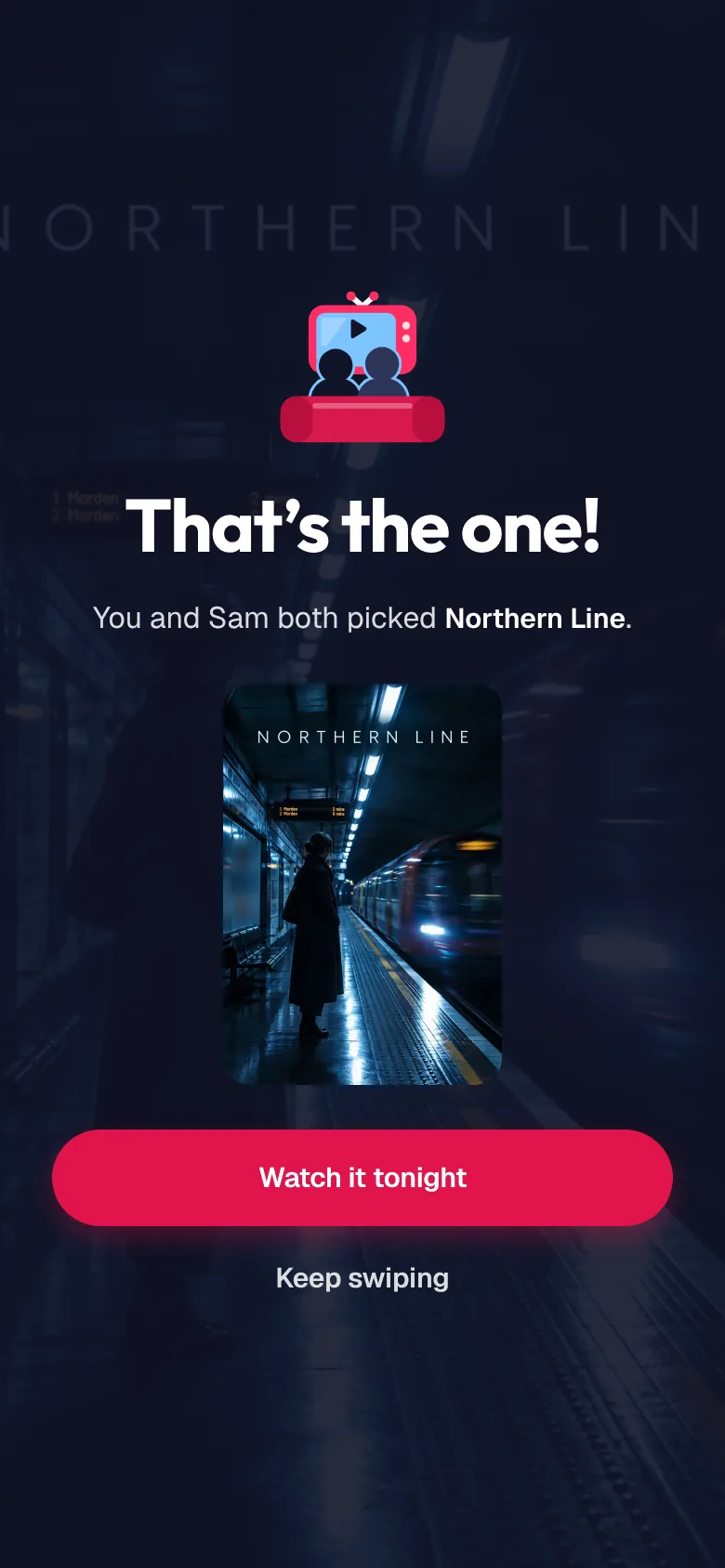
    Right to like, left to pass. You each swipe on your own phone, whenever suits. The moment you both like the same thing, you both hear about it: that’s the one.

    That’s the one: you and Sam both picked it
  3. Three you both like? Settle it.

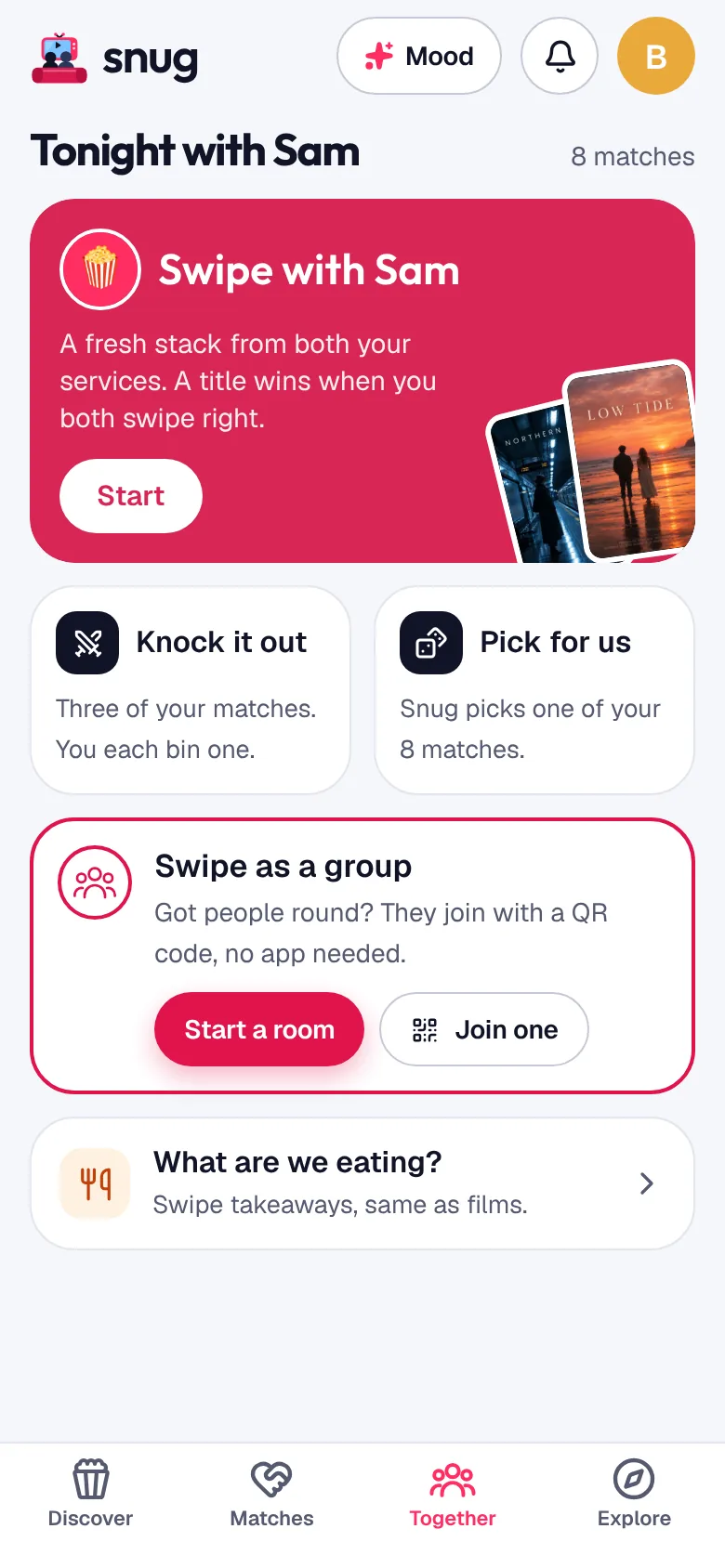
    The Together tab has every way to decide. Pick for us chooses one of your matches. Knock it out puts three up and you take turns binning one.

    The Together tab: Swipe with Sam, Knock it out, Pick for us, Swipe as a group
  4. Sam’s on the sofa now.

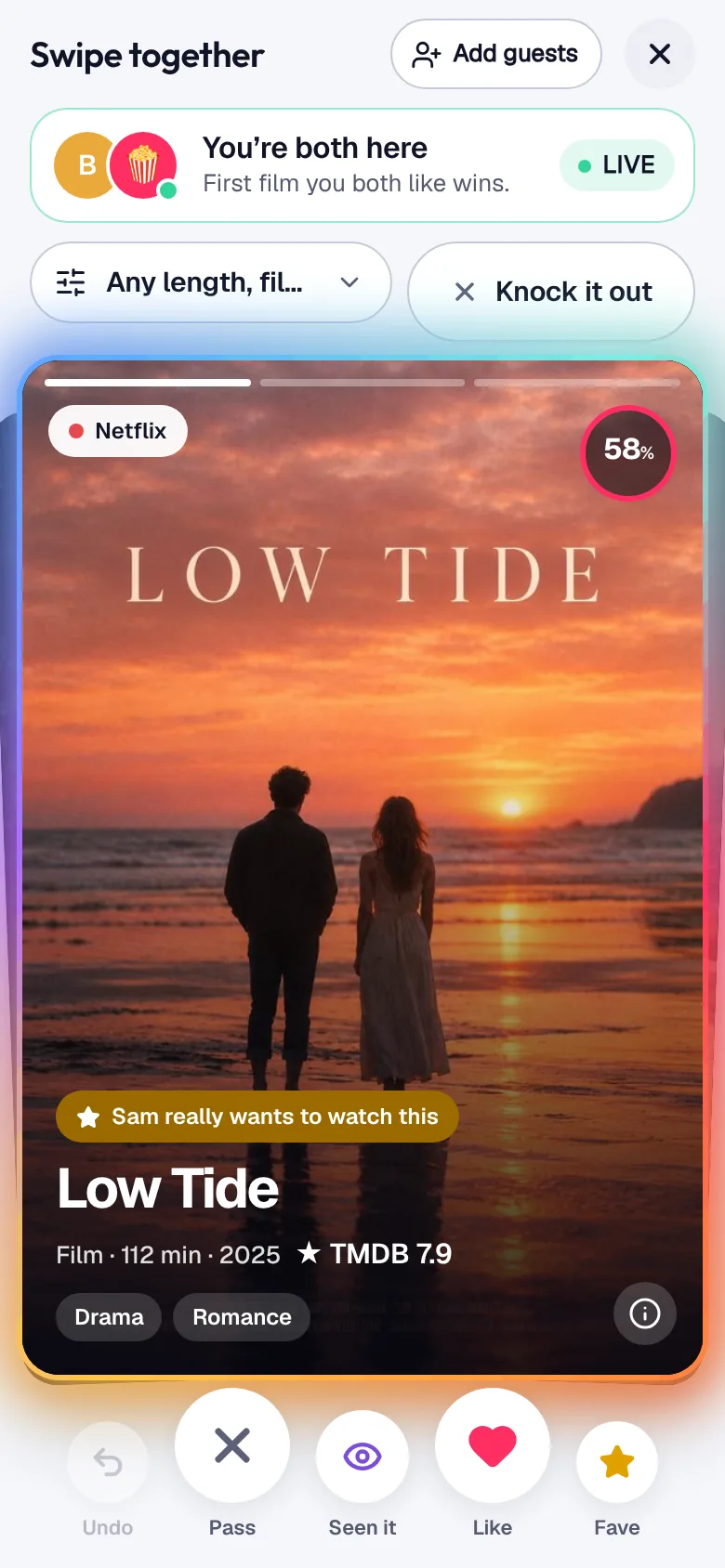
    Swipe together opens the same deck on both phones. Snug nudges Sam to join, and the first thing you both like wins. Say how long you’ve got, and the deck only shows what fits.

    Swipe together with Sam: you’re both here
  5. Priya and Tom come round.

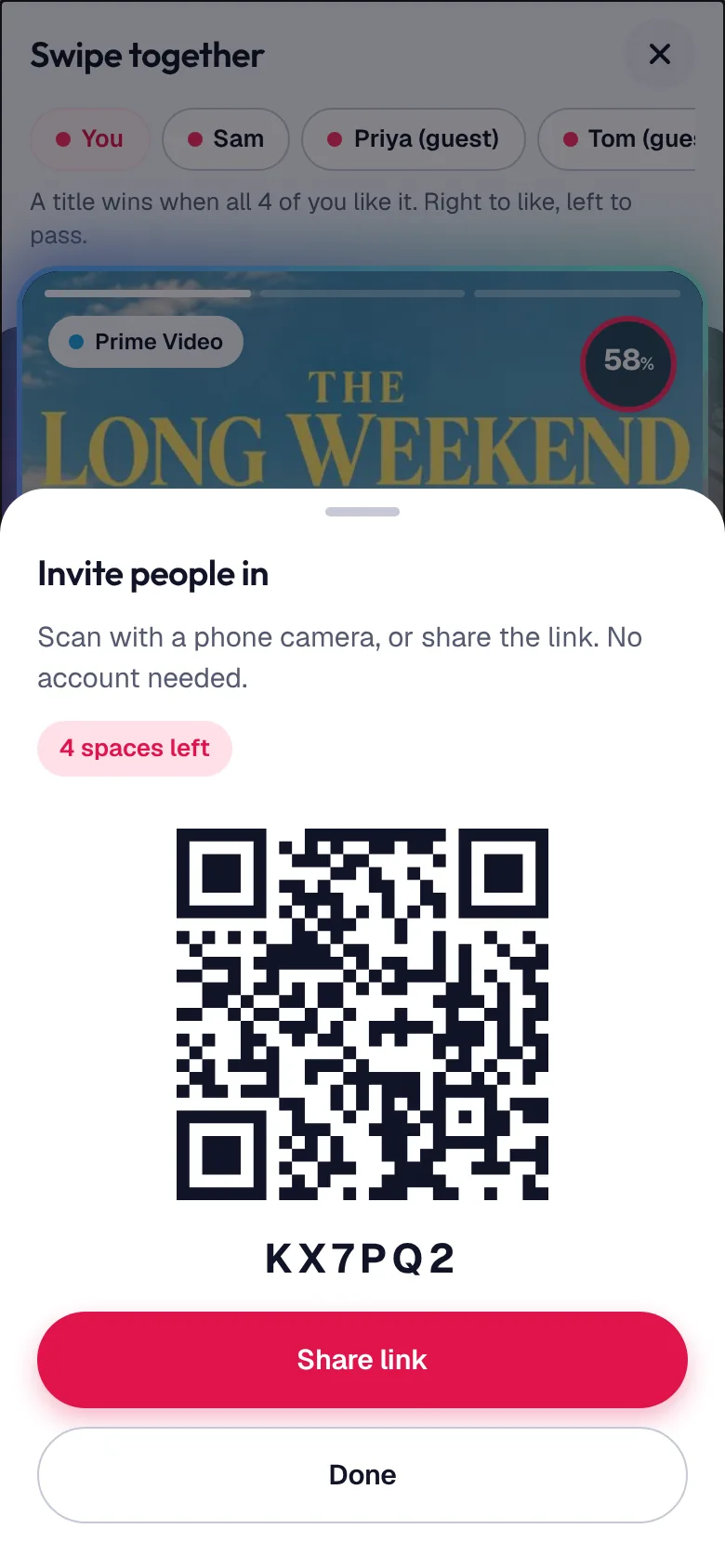
    Start a room. They scan the code with their phone camera and swipe the same deck, no account needed. Something wins when everyone likes it, and whoever started the room decides what’s next.

    Inviting people into a room with a QR code
  6. “And what are we eating?”

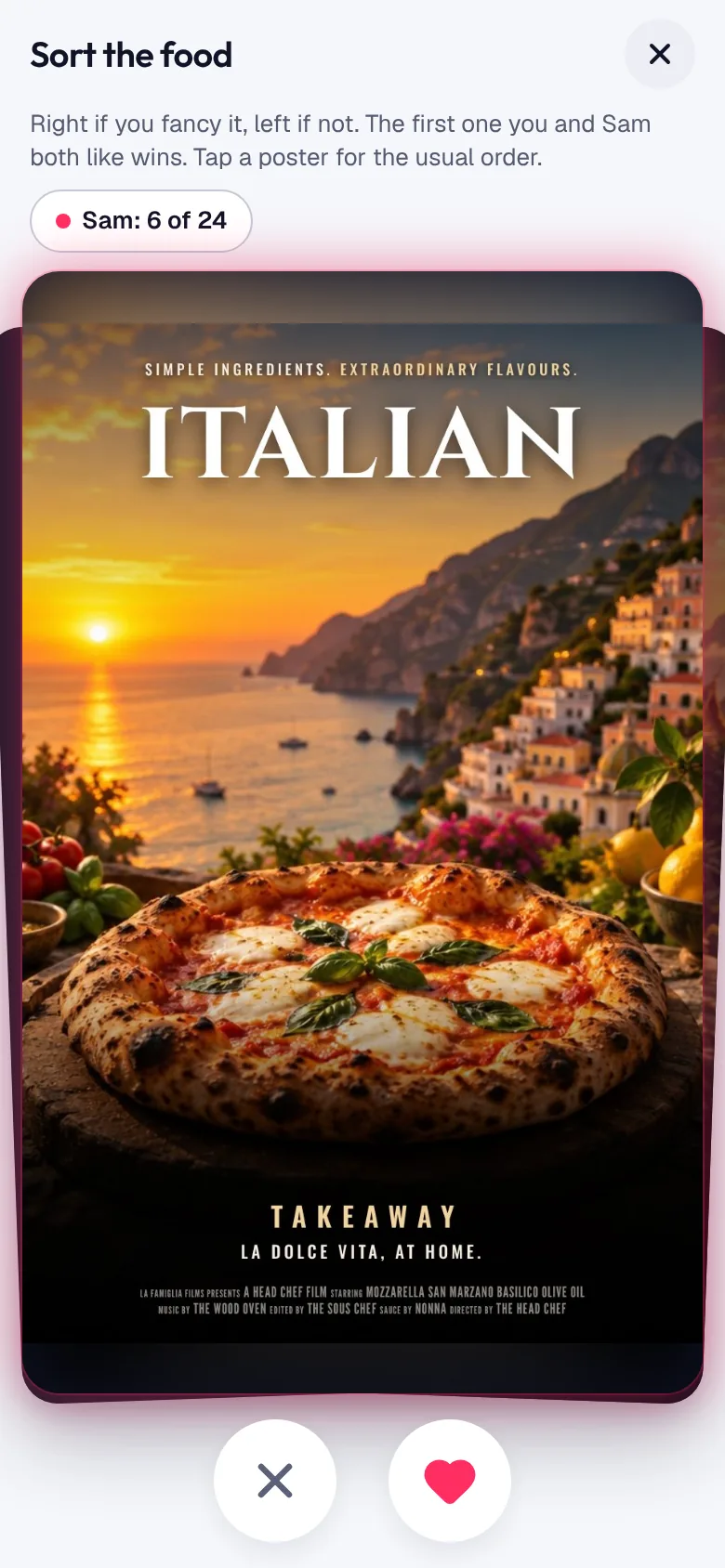
    Swipe on takeaways the same way. The first one everyone fancies wins, with links to order it from Deliveroo, Uber Eats or Just Eat. Not hungry? Sit it out.

    Swiping on takeaways
  7. Opening credits. Food’s at the door.

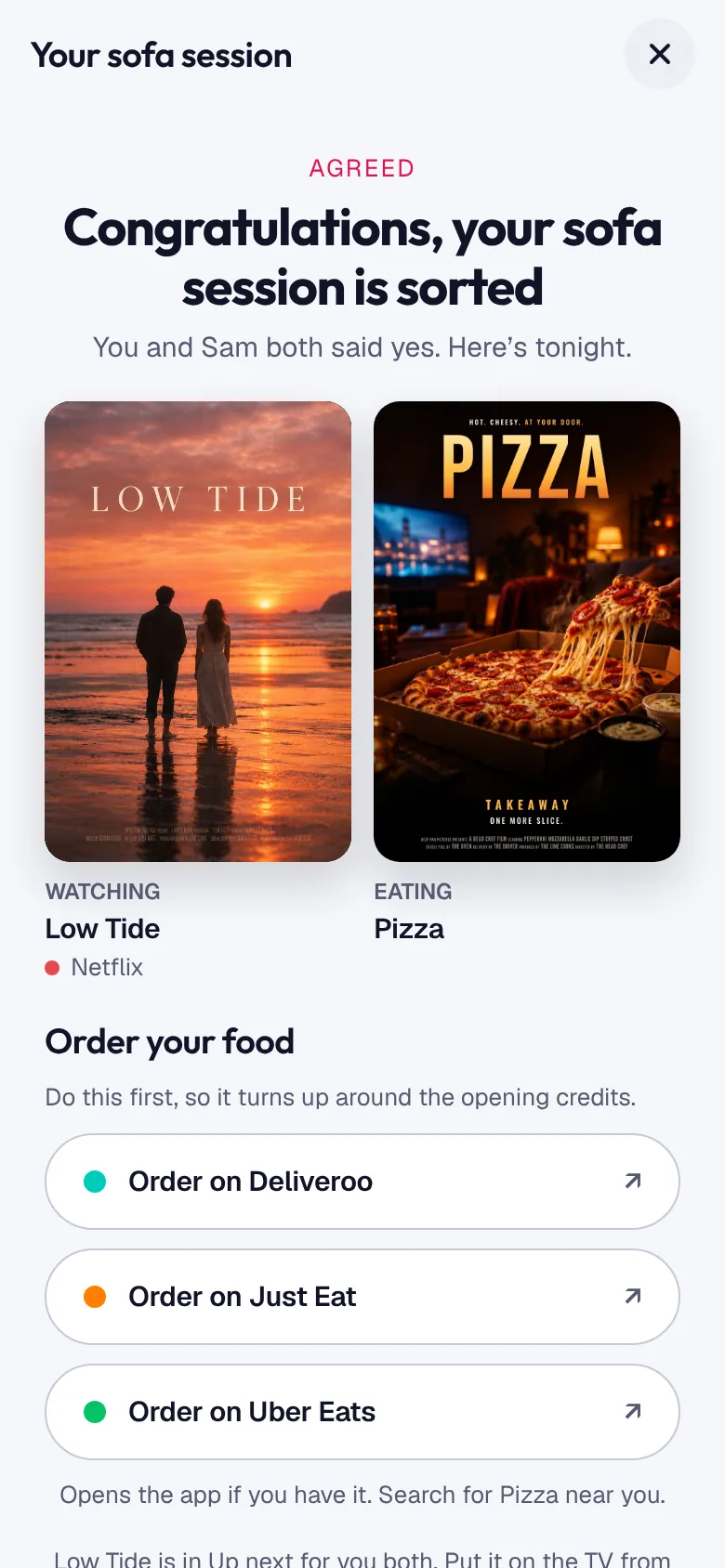
    Snug puts the film in Up next for you both and gets out of the way. No autoplay, no endless feed. Phones down.

    Your sofa session: the film and the takeaway, sorted

Also in Snug

  • Say how you feel

    Type “something light, under an hour” and get a short stack from your services, with a reason for each pick.

  • Your hard no’s

    No subtitles, no kids’ shows, no anime, or a top age rating. Set them once and they never turn up.

  • The next episode

    Like a series and Snug tells you when a new episode lands, with a reminder when you want it.

  • Send a title

    Spotted something for your person? Send it with a note and it’s waiting for them.

About 60 services, one deck.

Tell Snug where you live and what you pay for, down to the plan. It only shows what’s streaming for you tonight, never what’s for rent or in another country’s catalogue.

  • Netflix
  • Prime Video
  • Disney+
  • Apple TV+
  • NOW
  • BBC iPlayer
  • ITVX
  • Channel 4
  • Paramount+
  • Sky Go
  • MUBI
  • BritBox
  • hayu
  • Crunchyroll
  • discovery+
  • Hulu
  • Max
  • Peacock
  • Stan
  • Crave
  • and about 40 more

In the UK, Ireland, the US, Canada, Australia, New Zealand, Germany, France, Spain, Italy and the Netherlands, each with its own catalogue.

Free for two.

Matching with your person is free, always, with no adverts and no time limit. Snuggle Up will be for more people and more nights in, and one plan will cover you both. It isn’t on sale yet: during early access, everyone gets everything.

Snuggle

Everything you need to match with your person.

Free

  • Unlimited swiping on all your services
  • Match with one person
  • Up next, Pick for us and Knock it out
  • Takeaway match after Swipe together
  • Hard no’s, alerts and episode reminders
  • 3 mood decks and Swipe together 3 times a week, with a guest
Request an invite

Snuggle Up

For the two of you, and everyone else you watch with.

Not on sale yet

  • Covers your partner too
  • Link with housemates and friends
  • Unlimited mood decks and Swipe together
  • Rooms for up to 8 people
  • New features first, like group matches

Early members will get a founding offer. In Snug, tap “Tell me when it’s ready” on the Snuggle Up screen.

Hard no’s are never paid. Matching with one person stays free. Nobody is held back by someone else’s plan. Before Snuggle Up goes on sale, we’ll tell you what stays free.

Questions

How do I get in?

Snug is invite-only while we grow, so everyone gets a good first night. Request an invite with your email and we’ll send one as spaces open. Already on Snug? Invite your partner from Your people and they can join straight away.

Is Snug free?

Yes. The free plan has everything you need to match with your person, with no adverts and no time limit. Snuggle Up, coming later, adds more people, unlimited mood decks and unlimited Swipe together, and covers your partner too.

Do I need to download it?

Not today. Once you have an invite, open app.snug.watch on your phone and sign up. On iPhone, tap Share then Add to Home Screen and it works like an app, alerts included. On Android, tap Install when your browser offers it. An iPhone app is on the way.

Does Snug play the films and series?

No. Snug helps you decide, then you watch it on the service it’s on. Every card shows which one.

Can I use it with more than one person?

Yes. Link with your partner, housemates or friends and you get separate matches with each. On your own tonight? Pick one for me chooses from what you’ve liked.

What does the other person see?

Your first name, your matches with them, anything you send them, and that you liked a title when it turns up in their deck. Never your passes. The privacy policy has the detail.

Can friends join without an account?

Yes. Start a room and they scan the code or open the link on their own phone. They give a first name and swipe the same deck, nothing else. Guests aren’t linked to anything, and the room is deleted soon after it ends. On the free plan a room takes one guest; Snuggle Up rooms fit up to 8 people.

Will Snug remind me when a new episode is out?

Yes. Like a series and Snug follows it for you, with an alert when a new episode lands and a reminder the evening before, the day before or on the day.

Something’s not working. Who do I tell?

Email hello@snug.watch and a real person will reply, usually within a day. There’s more on the support page.

Where does the information come from?

Title details come from TMDB, ratings from OMDb, and what’s streaming where from JustWatch, refreshed every night. Trailers play from YouTube, right in the app.

Tonight’s sorted.

Already have an invite? Sign in